In about two weeks, you’ll have a real website — live on the internet — that you built yourself.
No coding. No developer. You say what you want in plain English, watch it get built, and the lesson shows you what just happened — about an hour a week.
From the team behind builtwithai.com, a community of 800+ people building with AI.

Sound familiar?
It feels like everyone else figured this out without you.

Everyone suddenly talks about AI like it’s obvious. A friend mentions something they “just had ChatGPT make.” Someone at work built a little tool over a weekend. And every time, a small, uncomfortable voice says: I should know how to do this by now.
It isn’t that you’re not smart enough. It’s that nobody ever showed you — and every explanation you found was written for somebody who already knew.
Your job started talking about “AI efficiency,” and you don’t want to be the example.
You’ve had an idea for years, and you’re watching other people build things instead.
You’re paying someone else for work you suspect you could do yourself.
You’re waiting on a developer for a change that should take an afternoon.
So you did what anyone would do. You tried to figure it out.
You’ve already tried
It wasn’t you that failed. It was how it was explained.
Asking ChatGPT to build it.
You got a wall of code and no idea where any of it was meant to go. You pasted it somewhere, it didn’t work, and there was nobody to ask why.
YouTube tutorials.
Minute two: “just open your terminal.” Minute six: an error the video never had. You closed the tab feeling like the problem was you.
Wix, Squarespace and the rest.
Easy, until you want one thing the template didn’t plan for. Then you’re stuck paying monthly for a box you can’t get out of.
Paying someone to do it.
Hundreds of dollars, a week of waiting, and another bill every time you want a sentence changed. You got a website. You got no closer to doing it yourself.
Every one of those assumed you already knew the part nobody ever teaches. That’s the gap. It is not a talent gap, and it is much smaller than it feels.
But the longer it stays open, the more it costs.
And if you do nothing?
Nothing dramatic happens — that’s the trouble with it. The idea stays an idea. The people who learn this now get a little further ahead every month, and a year from today you’re reading another page like this one.

Now picture this instead
“Wait — you made this?”
A few weeks from now, you open your laptop, type what you want changed in plain English, and watch your own website update in front of you. You send the link to a friend. They ask who made it. And you get to say: I did.
And once you can do it for yourself, you can do it for the people you care about — a site for your partner’s business, your mom’s shop, a friend’s side project that has been stuck for years.
Here’s how you get there
The next four weeks, one site at a time.
Everyone builds the same example first — a dog groomer called Tuft & Tail — so you can see exactly where you’ll be each week before you start your own.
Week 1
It builds something from a sentence you typed.
You install one tool, describe what you want in plain English, and watch a page appear with your name on it. It’s small. It’s also the moment most people realize they can actually do this.
Week 2
It’s live. On your phone.
A real website at a real web address you can text to anyone. It’s plain — on purpose. And from here on, every change you make goes live by itself about a minute later.
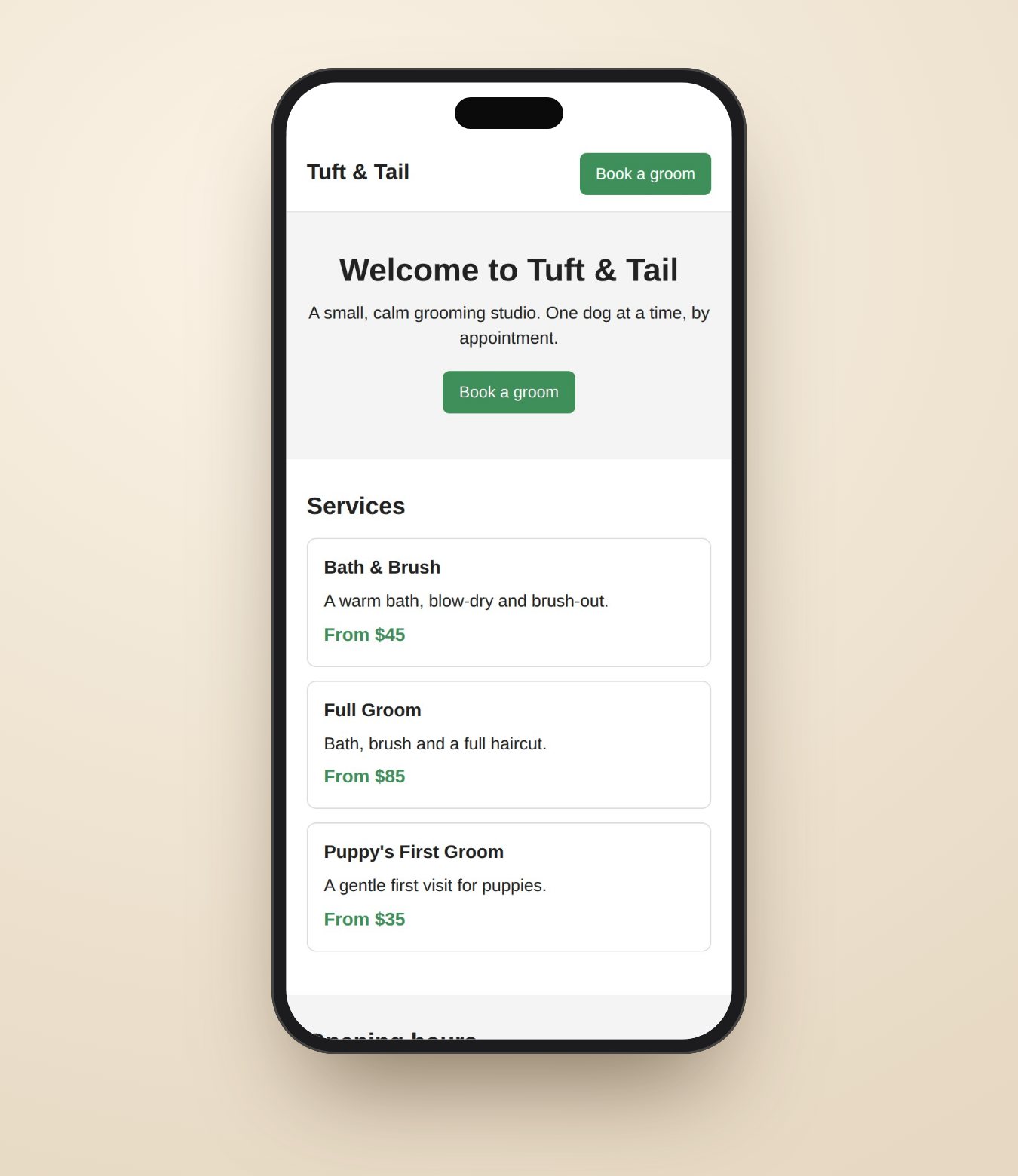
Tuft & Tail after Lesson 2. Week 3
It looks like a real business.
Photos, a logo, proper fonts and colors. Same site, one week later. This is the version people ask “wait, you made this?” about.
Tuft & Tail after Lesson 3 — the live example site. Week 4
It starts doing things.
Someone fills in the booking form on your site, and a few seconds later the enquiry is in your inbox. Hit reply, and you’re talking to your customer.
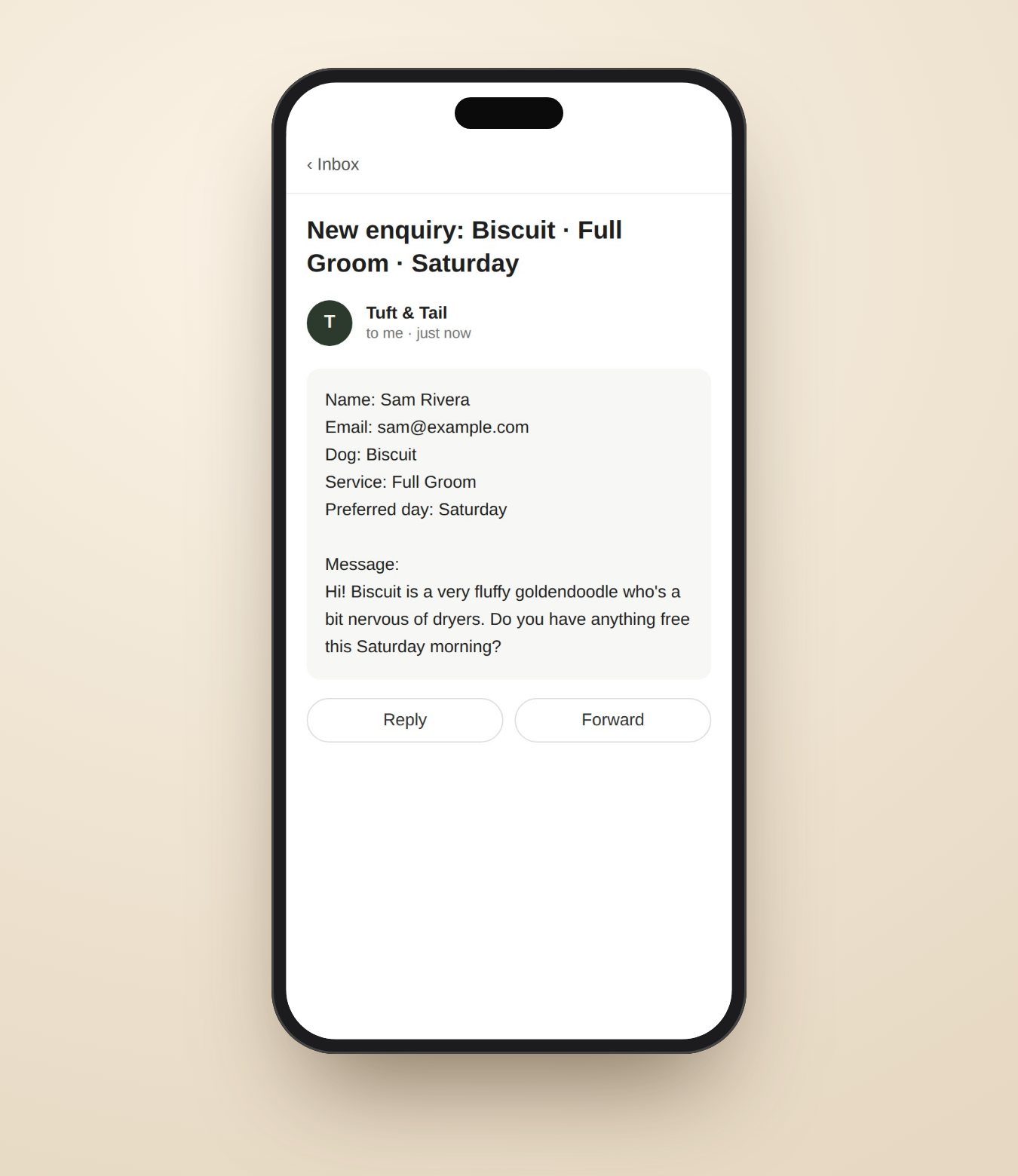
Illustration of what Lesson 4 builds, with the example business’s made-up details.
One lesson opens each Monday, so this is the real schedule, not a best case. After week four, the lessons keep coming, and your site keeps learning new tricks.
Why it works now
The thing that stopped you has quietly disappeared.
For years there were exactly two ways to get a website: learn to code, or pay someone who had. Then a new kind of AI tool arrived. It doesn’t just talk about code in a chat window — it writes it, directly on your own computer, and checks that what it made actually works.
Most people still haven’t heard of it. To them, “AI” means a chat box. That’s the gap this course closes: you say what you want, it builds it, and every lesson shows you how to drive it.
What you've used before
A chatbot in a browser tab
- 1You describe what you want
- 2It writes some code in the chat
- 3You copy the code
- 4You work out where it goes
- 5You paste it and hope
- 6It breaks. You paste the error back.
It never touches your computer. Every step between its answer and a working website is yours.
What this course teaches
An agent on your machine
- 1You describe what you want
- 2It builds it, runs it, and fixes its own errors
you
add a contact form that emails me
agent
✓ created contact.astro
✓ wired the email service
✓ tested it — sent you one
It reads your files, changes them, runs the result and checks its own work.
So how does the course work?
One lesson a week. About an hour. You follow along, and it gets built.
Monday
A lesson opens
Short, written for someone who has never done this before.
Any evening
You build the thing
Roughly an hour, at your desk, with the agent doing the typing.
When ready
You prove it works
A short quiz and a hands-on challenge on a project we supply.
Next Monday
The next one opens
One week at a time, so nothing piles up and nothing is skipped.
You never stare at a blank screen
Every lesson tells you exactly what to type and what you should see happen. You follow along; it gets built.
It works on the computer you already have
Windows, Mac or Linux, with a point-and-click way shown for every step as well as the typed way.
You know it worked before you move on
A short check at the end of each lesson catches a problem while it is small, not three weeks later.
Help that knows where you are
Stuck? The help box on every lesson already knows which lesson you’re on and what you’re building, so you never have to explain from scratch.
10-day money-back guarantee · cancel any time
Try it before you decide
Here’s the real start of Lesson 1. Free.
Not a rewritten teaser — the actual lesson. Read it and see whether it’s written in a way that makes sense to you. That’s the whole test.
Set up your workshop
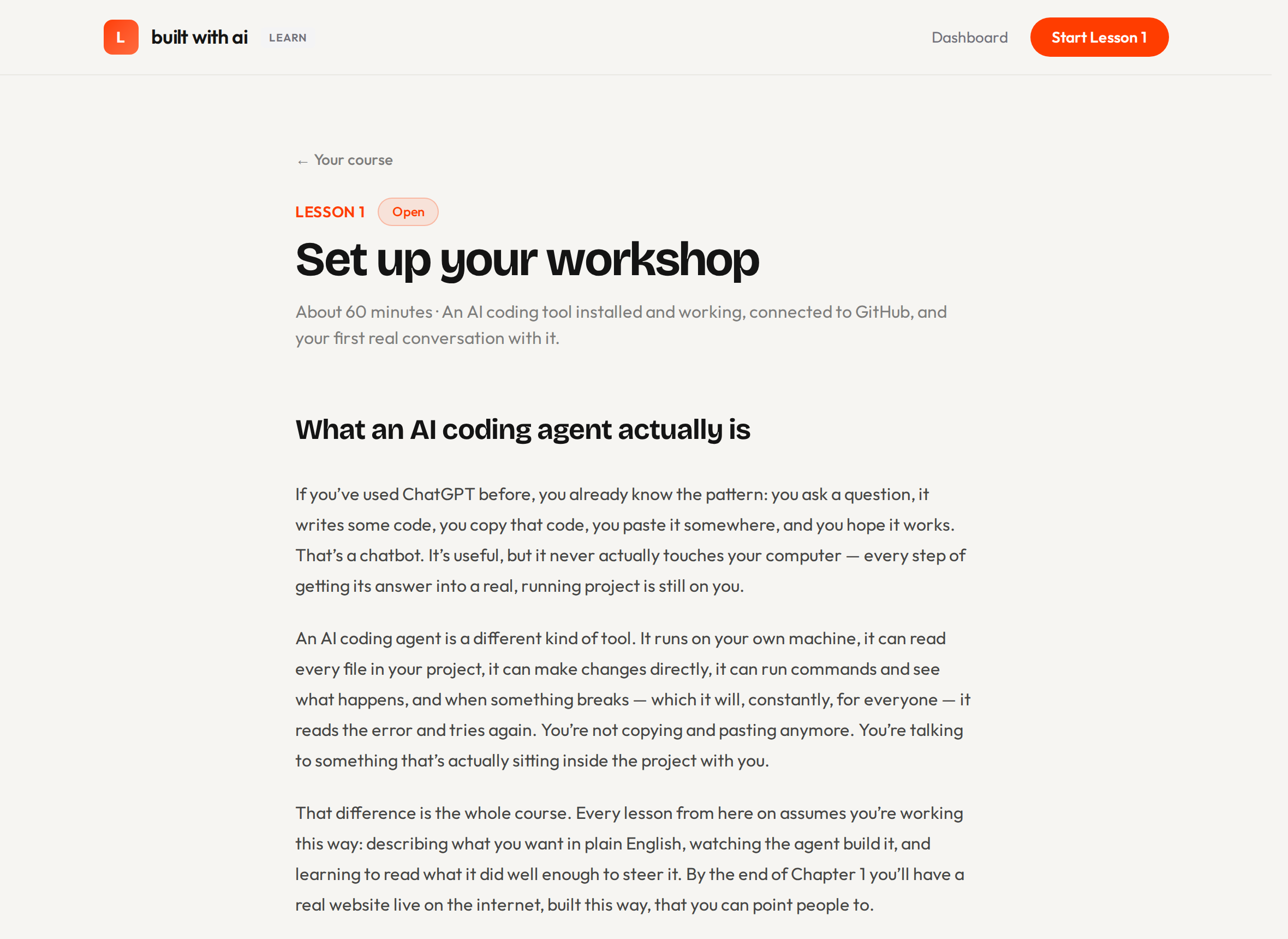
What an AI coding agent actually is
If you've used ChatGPT before, you already know the pattern: you ask a question, it writes some code, you copy that code, you paste it somewhere, and you hope it works. That's a chatbot. It's useful, but it never actually touches your computer — every step of getting its answer into a real, running project is still on you.
An AI coding agent is a different kind of tool. It runs on your own machine, it can read every file in your project, it can make changes directly, it can run commands and see what happens, and when something breaks — which it will, constantly, for everyone — it reads the error and tries again. You're not copying and pasting anymore. You're talking to something that's actually sitting inside the project with you.
That difference is the whole course. Every lesson from here on assumes you're working this way: describing what you want in plain English, watching the agent build it, and learning to read what it did well enough to steer it. By the end of Chapter 1 you'll have a real website live on the internet, built this way, that you can point people to.
You don't need to know how to code to start. You do need to install the tool, which is what the rest of this lesson walks through.
That’s the free part. Joining opens the rest of Lesson 1 straight away — installing everything, your first real go at building something, and the check that proves your setup actually works.
Ready when you are
Lesson 1 opens the moment you join, then a new one every Monday. See exactly what is included, and what it costs, before you decide anything.
See what you getWhat you’re actually buying
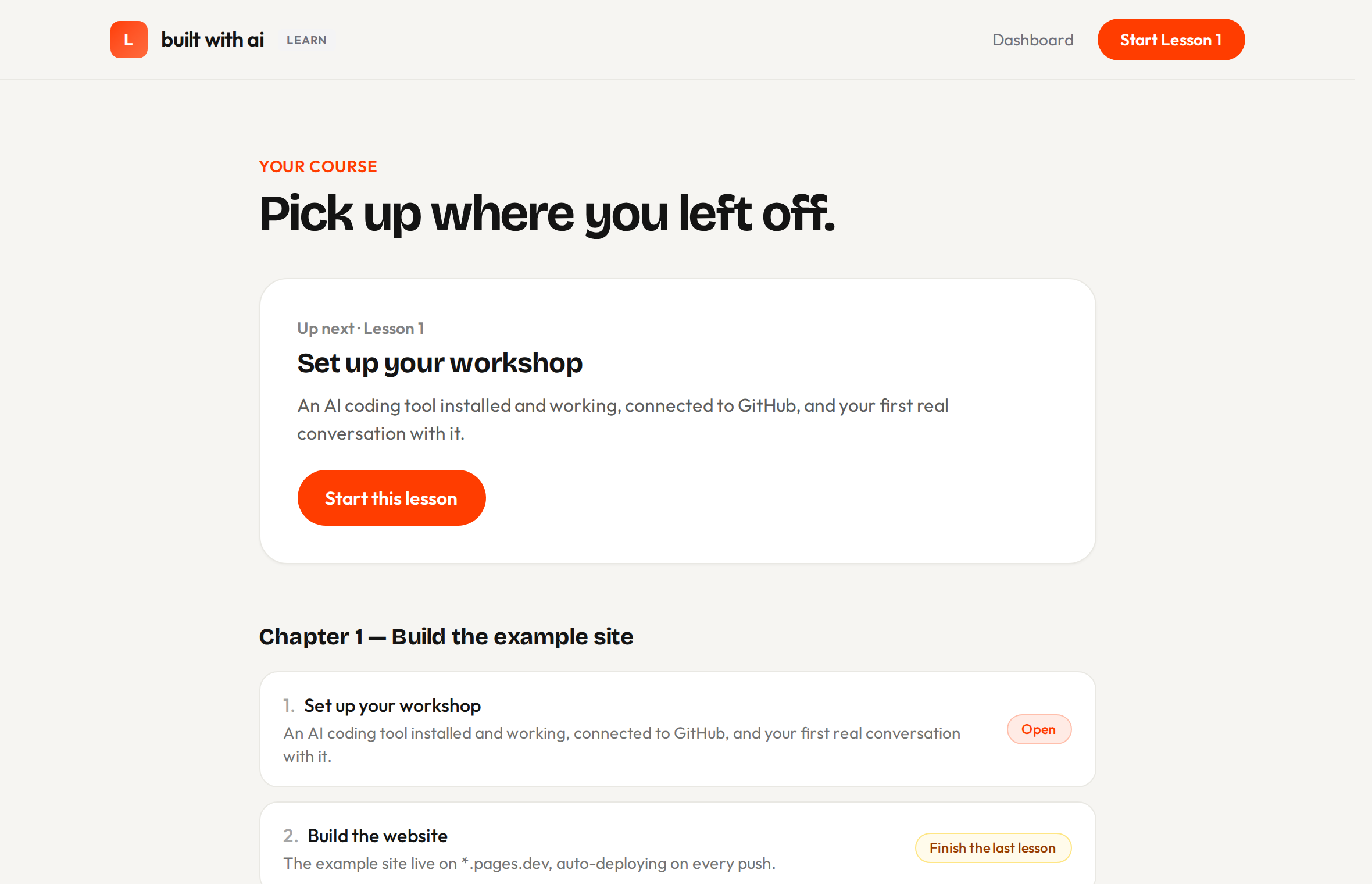
Real screens, not drawings of them.
This is where you land after you join, and the lesson behind it.


The example site
Don’t take the picture’s word for it. Open the site and click around.
Services, prices, a gallery, a booking form — built with the same tools you’ll use, with the photos generated by AI the way Lesson 3 shows you.
Open Tuft & Tail →No surprises
The one other thing you pay for
You pick one of these in Lesson 1, and you pay them directly, not us. We make nothing on any of them — these are the real prices.
Costs nothing to start. Limits are undocumented and were cut ~92% in a year — you may hit a wall mid-build. Good for trying.
The reliable default. $17/mo if you pay for a year up front, $20 month to month. Published limits, a desktop app, and the path the lessons illustrate.
Cheapest paid entry, but usage-based billing and key management. For the more technical.
Compare that with paying someone to build a site for you, which generally runs into the hundreds or thousands — and puts you back on their calendar every time you want a word changed.
Straight answers
Wondering if this is too good to be true? Good. Here’s the fine print, up front.
Everything we’d want to know before handing over a card number.
- We don’t promise you a job or an income.
- This isn’t a bootcamp with a salary claim attached. It teaches you to build and put a real website on the internet. What you do with that is yours.
- We make nothing on the AI tool you pick.
- No affiliate links, no kickback, no referral codes. The costs above are what you’d pay going direct, which is exactly what we tell you to do.
- Cancel whenever.
- No signup fee, no minimum term, no “contact us to cancel.” 10 days to get your money back for any reason, no explanation needed — and you keep everything you built, because it lives in your accounts, not ours.
Questions people ask
Do I need to know how to code?
No, and you won’t be learning to. You describe what you want in plain English and the tool writes it, while the lesson shows you what just happened and why.
How much time does it take?
About an hour a week. One lesson opens each Monday and you do it whenever suits you — there are no live classes you have to show up for.
What if I get stuck?
Every lesson is written to be followed word for word. There is also a help box on every lesson page that already knows which lesson you are on and what you are building.
Does the AI tool cost extra?
You can start free with Google Antigravity, or pay $17–20 a month for Claude Pro, which is steadier — $17 if you pay for a year, $20 monthly. We make nothing either way; the full costs are listed above.
Do I need to buy a domain name?
No. Your site goes live on a free web address you get as part of Lesson 2. Buying your own domain is optional and comes later — it runs about $10–15 a year, paid to whoever you buy it from, not to us.
What if this isn’t for me?
10-day money-back guarantee, and you can cancel any time after that. If it’s not clicking, you get your money back.
Who's behind this
This came out of a real community of people learning to build with AI.
We wrote this course because of what we kept watching happen there. Every guide to this stuff is written by developers for developers — it opens a terminal on line one and assumes you already know what that is. People who could absolutely do this were bouncing off the explanations, not off the work. So we wrote the version that doesn’t assume it.
Between the two of us, we also build and run these — live products with real customers:
- theleadrouter.comSell leads direct to buyers: a storefront, routing and call tracking in one place.
- lead2inbound.comAn AI voice agent that calls unsold leads and warm-transfers the qualified ones, live.
- fypworthy.comAI UGC video ads — a prompt to a ready-to-post talking-head ad, no camera and no shoot.
You won’t build anything like these, and you don’t need to. They’re here so you can check we’re real and do this for a living. What you’ll build looks like the site at the top of this page.
Decision time
There are two ways the next month can go.
You close this page
- The idea stays an idea.
- The next time someone mentions what they “just built with AI”, you feel that same small voice.
- A month from now, nothing has changed, and you’re a month further behind.
You start Lesson 1 tonight
- Week 1: something you described gets built in front of you.
- Week 2: your site is live, and it’s on your phone.
- Week 3: it looks like a real business.
- Week 4: it’s sending enquiries to your inbox.
Three weeks from now, you could be showing someone a site you built.
Lesson 1 opens the moment you join. If it isn’t for you, you have 10 days to get every penny back — and whatever you built is still yours.
Start Lesson 1Four quick questions first, so the course knows what you want to build.
P.S. If you’re still on the fence, here’s the whole risk: Lesson 1 opens the moment you join, and you have 10 days to get your money back for any reason. The worst case is one evening spent finding out what these tools can do. The best case is on your phone three weeks from now.